
In short: OneCode: Stackable Discounts is a Shopify app that lets one discount code (or one automatic discount) give several discounts at once, for example 20% off a collection, $10 off the order and free shipping, each with its own rules.
Shopify's built-in discounts do one thing each: a code takes money off products, or off the order, or off shipping. OneCode removes that limit. You build one discount, add as many discount types as you need, and your customer only has to enter one code.
The building blocks
Every OneCode discount is made of the same few parts:
Method: a Discount code the customer types at checkout, or an Automatic discount that applies by itself.
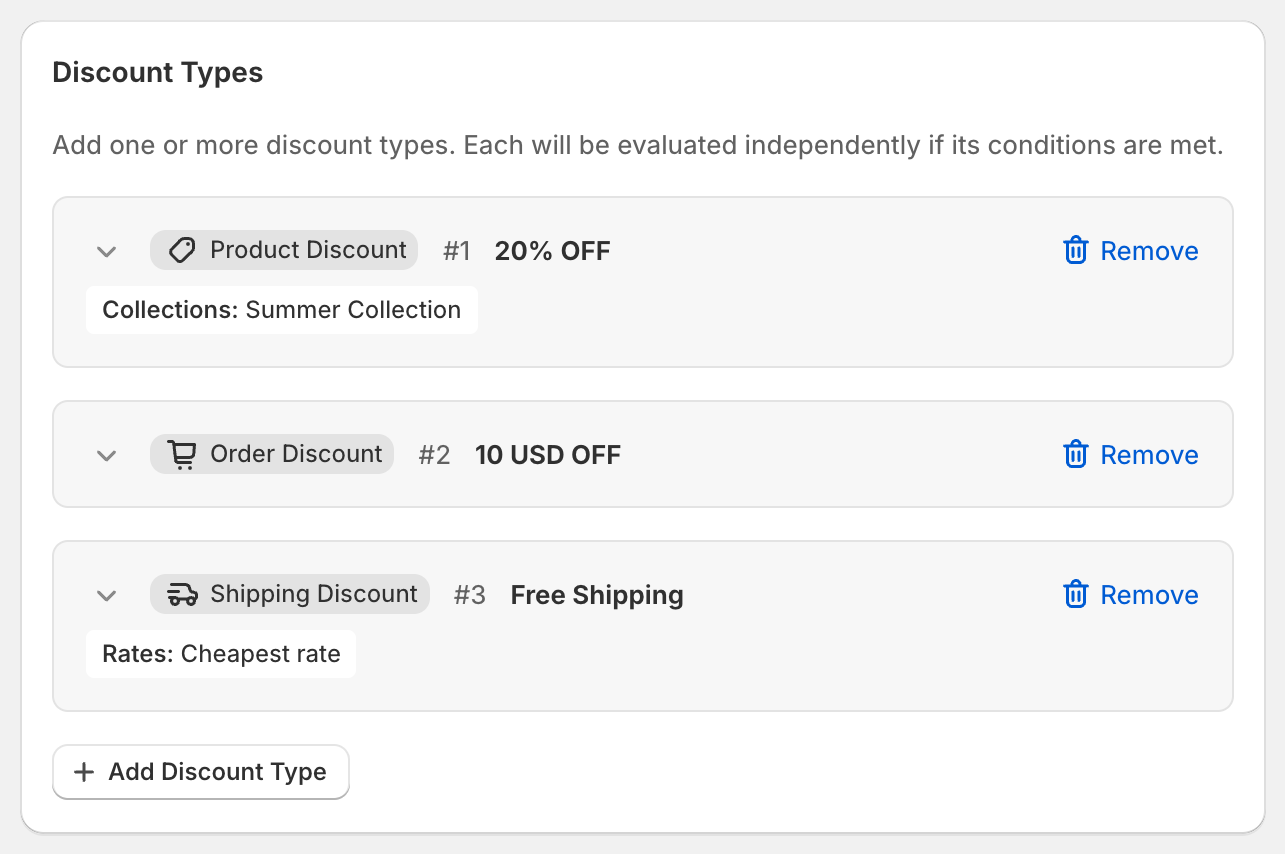
Discount Types: what the customer gets. Each one is a Product Discount, an Order Discount or a Shipping Discount. One discount can hold several of each.
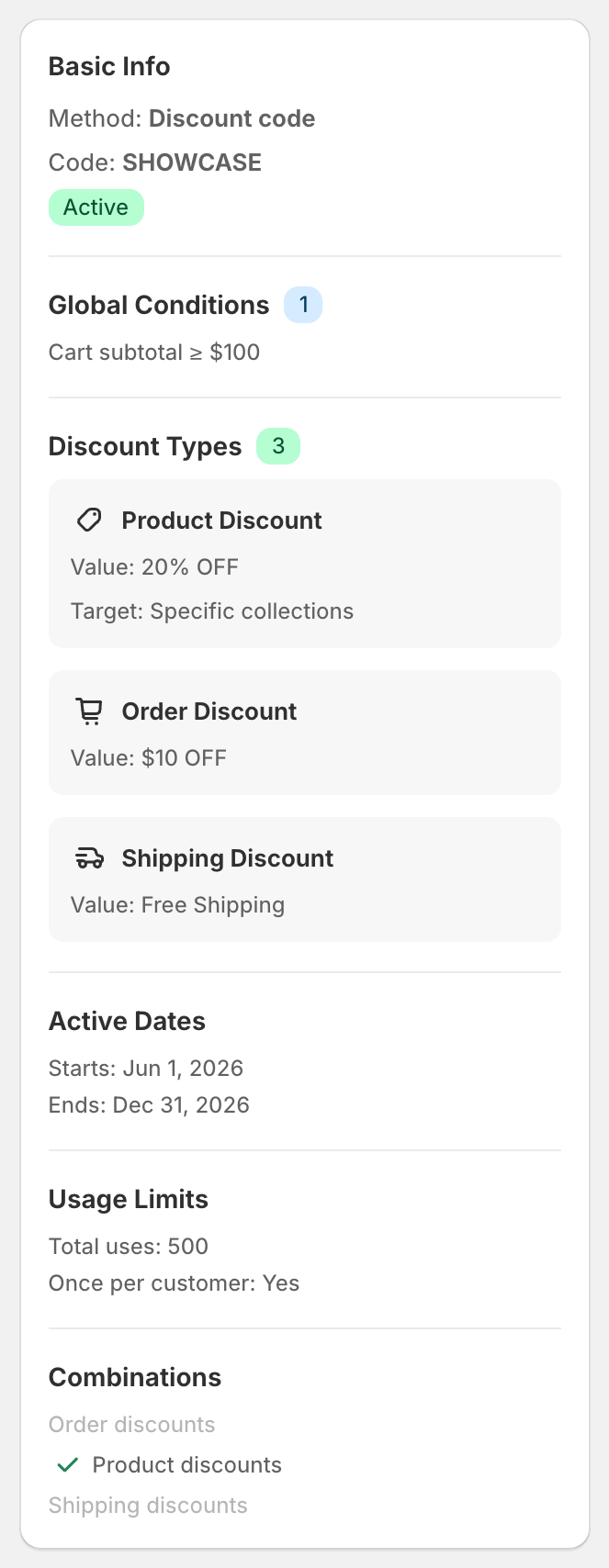
Global Conditions: rules the whole discount must meet, such as "cart subtotal is at least $100" or "customer is tagged VIP". If any global condition isn't met, nothing in the discount applies.
Per-Discount Conditions: extra rules for one discount type only, such as "this 15% only applies when 3 or more items are in the cart".
Settings: the same settings Shopify's own discounts have: Active dates, Combinations (how it works with your other discounts), Maximum discount uses and Subscription recurring limit.
As you build, a summary on the right of the page shows what the discount will do in plain words.
What you can build
A few examples merchants set up with OneCode:
One code that gives 20% off the Summer Collection, $10 off the order and free shipping.
Buy 2 items for 10% off, 3 for 15% off, 4 or more for 20% off.
20% off sitewide, rising to 30% off once the cart reaches $300.
Half-price express shipping only when the cart includes a discounted product.
A VIP-only discount for customers with a specific tag.
Thousands of unique single-use codes for an email campaign, all sharing the same rules.
See the Recipes section for step-by-step setups of each.
Where to find it
In your Shopify admin, go to Apps and open OneCode Discounts. The home page lists every OneCode discount. OneCode discounts also appear in Shopify's own Discounts page alongside your other discounts.
Good to know
OneCode works with Shopify checkout. Customers see the discounts in their cart and at checkout like any other Shopify discount.
You don't need to keep OneCode open. Your discounts run inside Shopify's checkout. They only stop if you uninstall the app.
In the Shopify App Store, the app is listed as OneCode: Stackable Discounts by Responsive Media.