
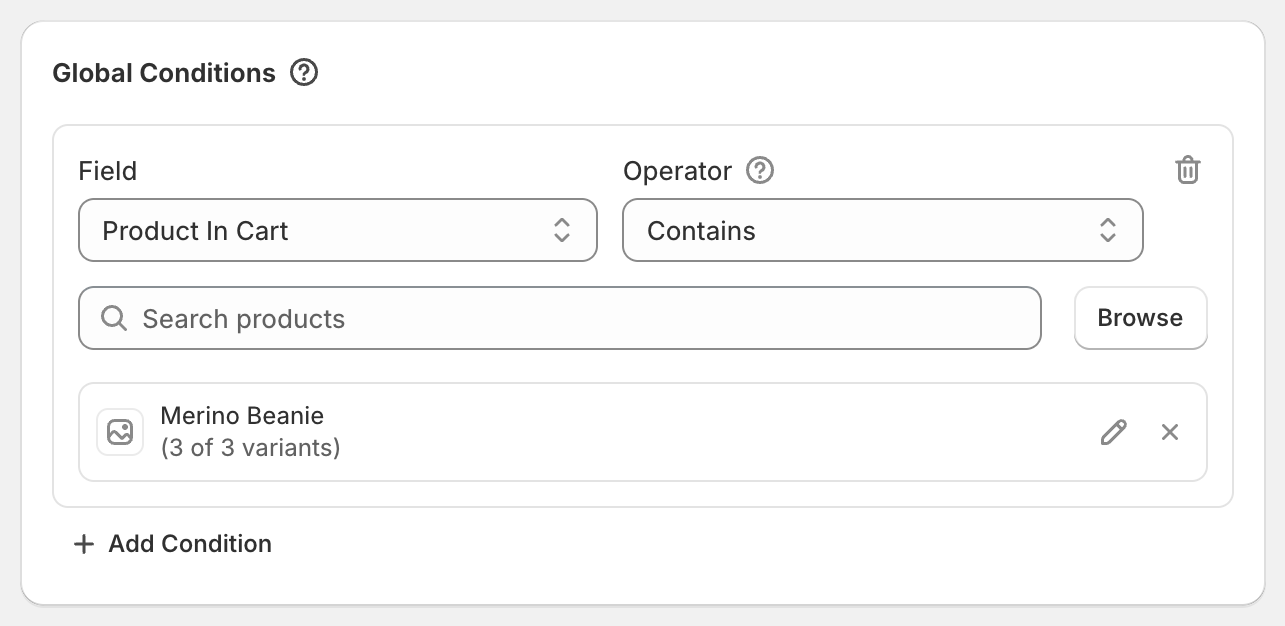
In short: Add a Global Condition Product In Cart Contains the product the customer must buy, then a Product Discount targeting the items that should be discounted.
Example
Buy a Merino Beanie, get 20% off the Accessories collection.
Steps
Click Create discount.
In Global Conditions, click Add Condition. Set Field to Product In Cart, keep Contains, click Browse and pick the Merino Beanie.
Click Add Discount Type. Enter
20in Percentage, set Target to Specific Collections and pick Accessories.Click Save discount.
What the customer gets
Beanie and a $30 tote bag from Accessories: 20% off the tote, $6 saved.
A tote on its own: no discount.
Good to know
If the product the customer must buy is also in the discounted collection, it gets the discount too. In this example, if the beanie is in Accessories, it's 20% off as well. Target specific products instead to leave it out.
To also make the beanie cheaper, add another product discount targeting it.
Product In Cart can't be added to a product or order discount's own conditions, only to Global Conditions and shipping discounts. For two separate "buy X" offers, create two discounts.