
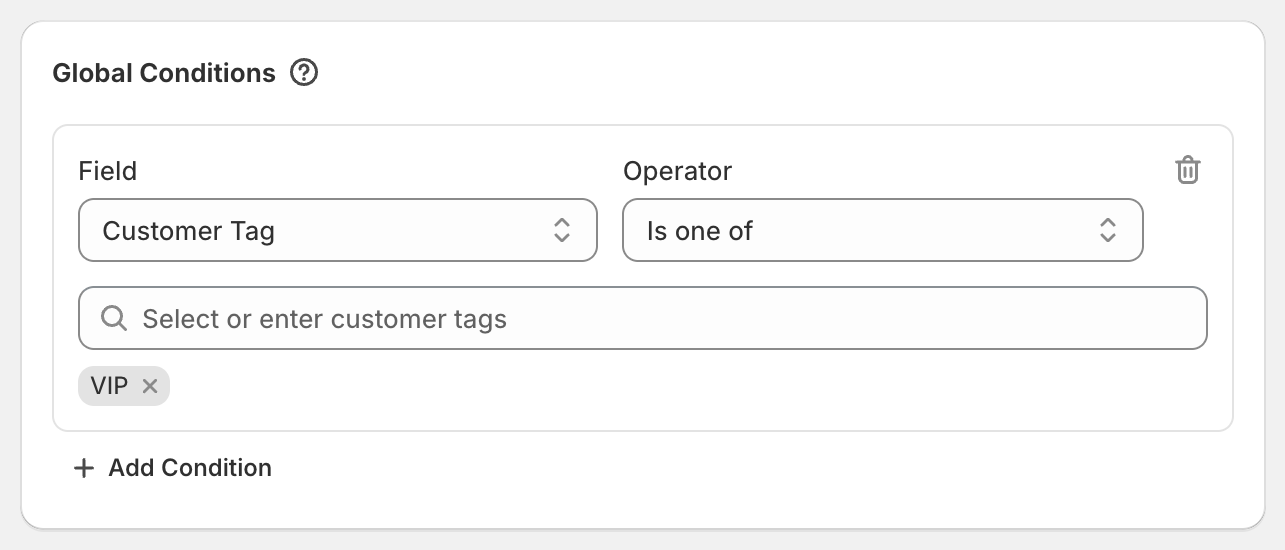
In short: Add a Global Condition Customer Tag Is one of VIP. Only logged-in customers with that tag get the discount.
Steps
In Shopify, tag your VIP customers. Open a customer in Customers and add the tag
VIP.In OneCode: Stackable Discounts, click Create discount.
In Global Conditions, click Add Condition. Set Field to Customer Tag, keep Is one of, and pick or type
VIP.Add your discount types, for example 15% off all products and free shipping.
Click Save discount.
Variations
Use a segment instead of a tag: add Customer Segment and pick a segment, for example "Repeat customers". See Customer Tag and Customer Segment conditions.
VIPs get more: keep the code open to everyone with 10% off, and add a second product discount of 20% with the Per-Discount Condition Customer Tag Is one of
VIP. VIPs get 20%, everyone else 10%.Everyone except wholesale: Customer Tag Is not one of
Wholesale. Guests get it too, because they have no tags.Staff, student or military discount: tag those customers
Staff,StudentorMilitaryand use the same steps with that tag. Choose Automatic discount so they don't need a code. The tag still keeps everyone else out.
Good to know
The customer has to be logged in to their account. A VIP who checks out as a guest won't get the discount.
An automatic discount with a tag condition is a hands-free member perk: VIPs see the discount without entering a code.