
In short: Add your product discount, then a Shipping Discount with the Per-Discount Condition Match Another Discount's Rules, and tick the product discount. Shipping is then only discounted when the product discount applies.
Why one code: Shopify's own free shipping discounts can't check whether another discount applies, and a code holds only one kind of discount. OneCode: Stackable Discounts ties the two together in one code.
Example
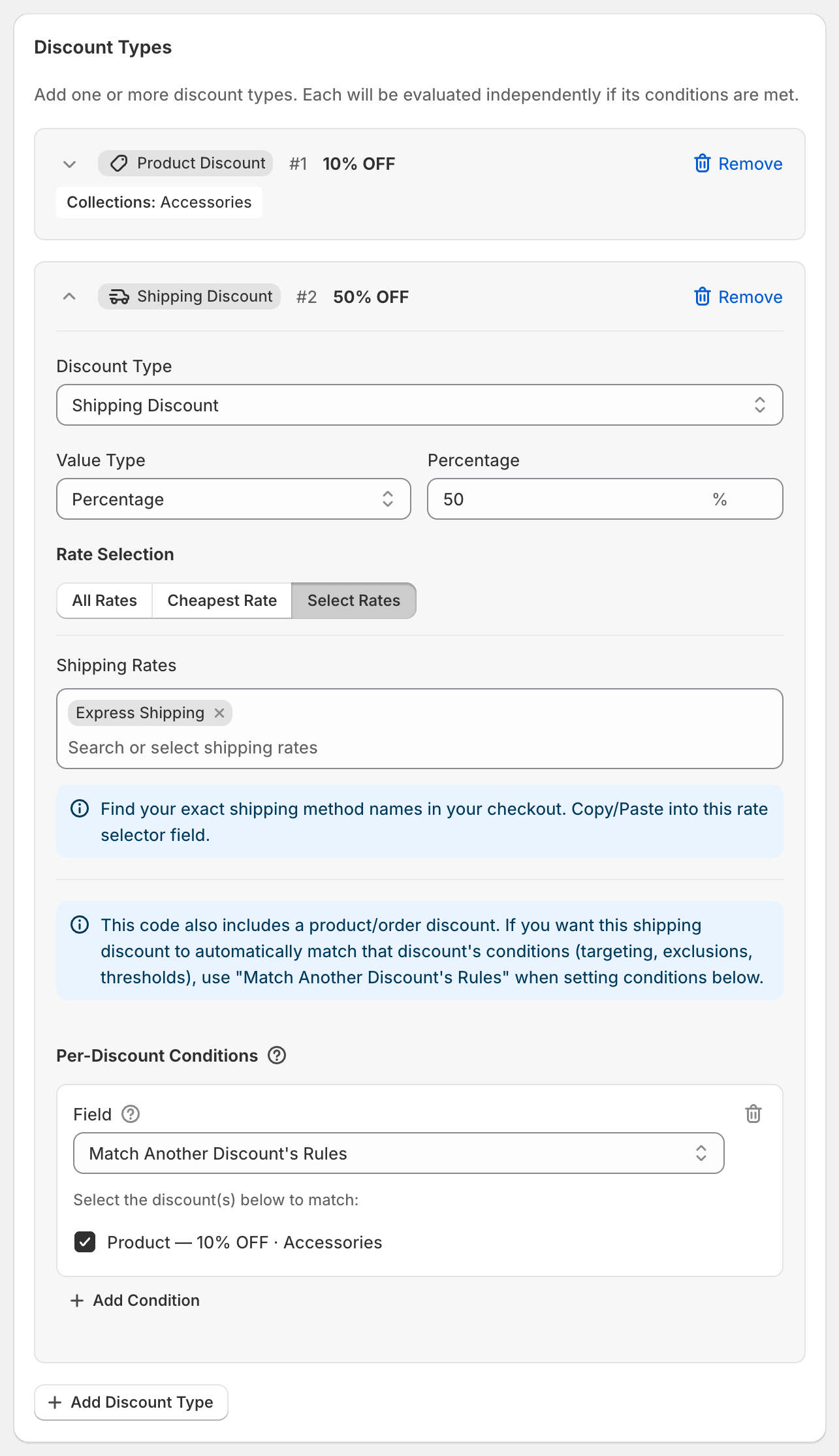
Code SHIPSAVER: 10% off Accessories, plus 50% off Express Shipping, but only when the cart has accessories.
Steps
Click Create discount and enter
SHIPSAVER.Click Add Discount Type. Enter
10in Percentage, set Target to Specific Collections and pick Accessories.Click Add Discount Type. Set Discount Type to Shipping Discount, Value Type to Percentage and enter
50.Under Rate Selection, click Select Rates and add
Express Shipping.Under the shipping discount's Per-Discount Conditions, click Add Condition and choose Match Another Discount's Rules.
Tick "Product — 10% OFF · Accessories".
Click Save discount.
What the customer gets
Cart with a tote from Accessories: 10% off the tote and half-price Express Shipping.
Cart without accessories: no discount at all. Without step 5, shipping would still be half price.
Good to know
The shipping discount follows everything about the product discount: its target, exclusions and conditions. Change the product discount and the shipping rule follows.
Use Free Shipping and All Rates for plain free shipping.
More detail: Free shipping only when another discount applies.