
In short: Save a discount code, then click Create Bulk Codes in the Bulk Discount Codes card. Click Generate Codes to create up to 10,000 random codes at a time, or Import CSV to upload your own. Every code gives the same discount.
Use bulk codes for unique codes in email campaigns, one code per influencer, or printed single-use vouchers.
Open the bulk codes page
Create and save a Discount code (bulk codes aren't available on automatic discounts).
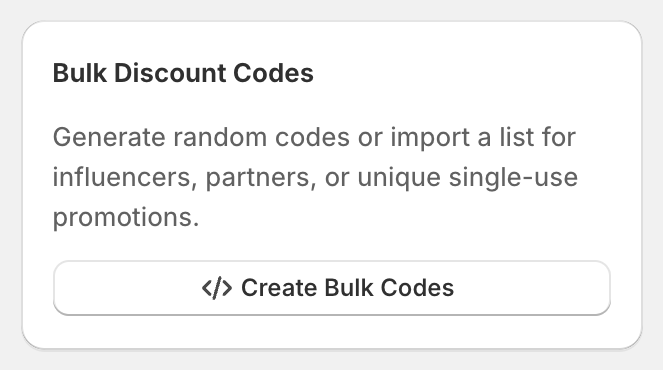
On the discount's edit page, find Bulk Discount Codes on the right and click Create Bulk Codes. Once you have some, the button reads Manage Bulk Codes with the number of codes.
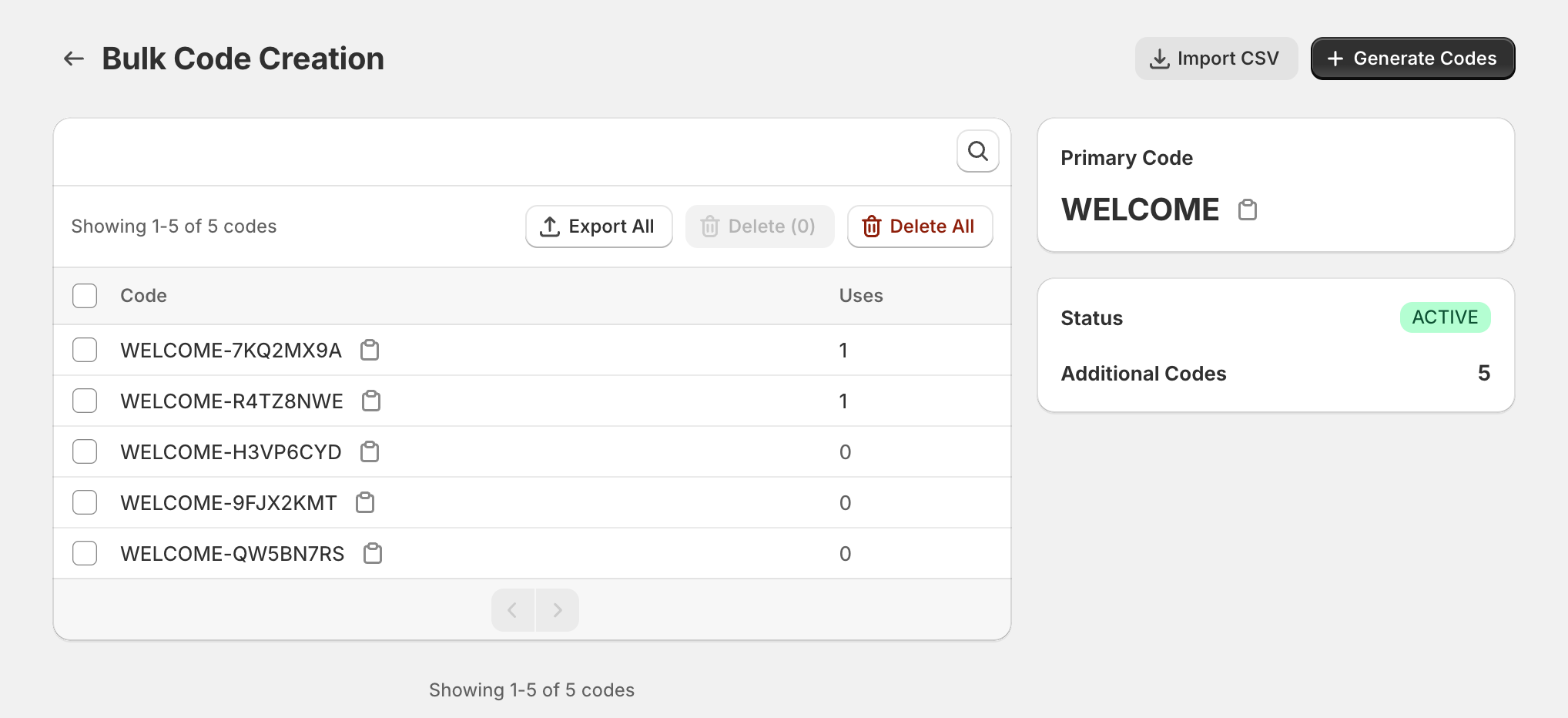
The Bulk Code Creation page shows your Primary Code (the code you created the discount with) and how many Additional Codes it has.
Generate random codes
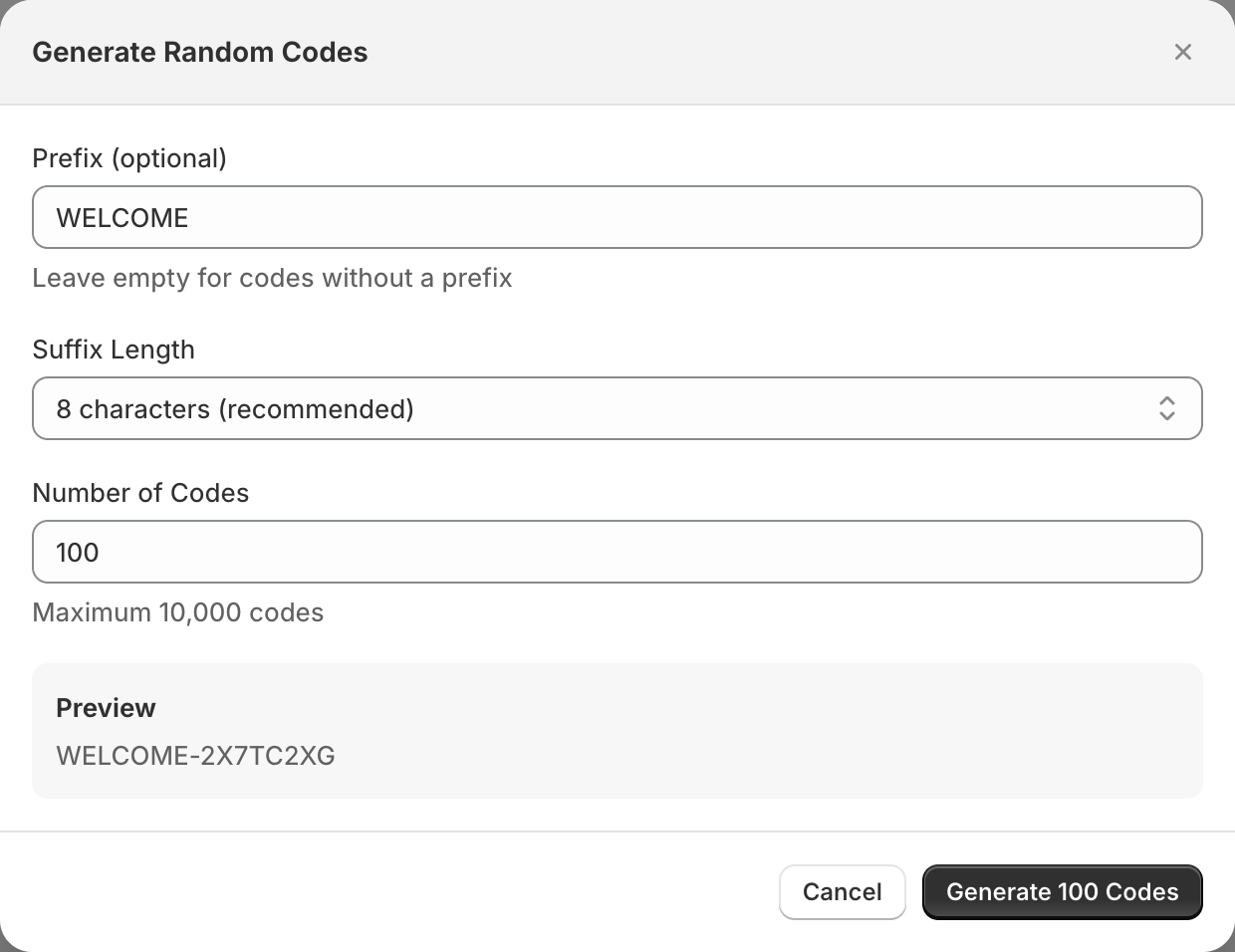
Click Generate Codes.
Optional: enter a Prefix, for example
VIP. Prefixes can use letters, numbers, hyphens and underscores. OneCode: Stackable Discounts adds the hyphen between the prefix and the random part for you, so typeVIP, notVIP-.Choose a Suffix Length: 4, 6, 8, 10 or 12 random characters.
Enter the Number of Codes, up to 10,000.
Check the Preview and click the generate button, for example Generate 500 Codes.
Codes look like VIP-7KQ2MX9A. They never use easily confused characters like 0, O, 1, I or L.
Import your own codes
Click Import CSV.
Drop in a
.csvor.txtfile with one code per line, in a single column. Leave out any header row such as "Code", or it's imported as a code. Commas also separate codes, so don't export extra columns.OneCode shows how many codes are valid, how many aren't, and a preview. Duplicate lines are skipped.
Click the import button, for example Import 250 Codes. Up to 10,000 codes per import.
While codes are created
Shopify adds codes in batches, so a progress window shows Requested, Created and Failed counts. Large batches can take a few minutes. A code fails if it already exists anywhere in your store, because every code in Shopify must be unique.
Find, export and delete codes
Search codes... finds a code in the list. The list shows each code and how many times it's been used (Uses).
Export All downloads every code as a
.csvfile, one code per line with no header. Select codes first to export only those.Select codes and click Delete to remove them, or Delete All to remove every additional code. Your primary code is always kept.
Good to know
Usage limits apply to each code separately. Set Limit number of times this discount can be used in total to
1to make every code single use. See Limit how many times a code can be used.Once a discount has bulk codes, its primary code can't be renamed. If you change it on the edit page, the change isn't saved, even though OneCode says the discount was saved.
Sending codes by email: export the codes, then import them into your email tool (for example Klaviyo's coupon codes or a custom field in Shopify Email) so each subscriber gets one. OneCode doesn't send emails itself.
You can run another batch any time to add more than 10,000 codes. Shopify allows up to 20 million discount codes per store in total.
Deleting is permanent. Deleted codes stop working straight away.